Last checked: 25 October 2026, against Amazon’s own sources. What changed: we corrected the zoom size to 1,000 px (an earlier version of this article said 1,600 px), separated Amazon’s rules from our recommendations, and removed claims we could not source.
Quick answer: Amazon’s main product image must show the actual product on a pure white background (RGB 255, 255, 255), filling 85% or more of the frame, with no added text, graphics, watermarks or props that are not included in the purchase. Images need at least 1,000 pixels on the longest side for zoom, in JPEG, TIFF or PNG format.
Amazon rejects or suppresses images that miss these rules, and many sellers only find out after a listing goes quiet. This guide sets out what Amazon actually states, how to check an image yourself before upload, and how to fix the usual problems.
Two labels run through the article. Amazon rule means Amazon states it, with the source linked. Our recommendation is advice from our production work, not an Amazon requirement. Category rules vary, so always check your category’s guidance in Seller Central too.
What are Amazon’s product image requirements?
Amazon’s core main image rules cover five things: a pure white background, 85% frame fill, the actual product only, no added text or graphics, and no props that aren’t included. Amazon also states a 1,000 px minimum on the longest side for zoom and accepts JPEG, TIFF and PNG files.
| Requirement | Applies to | Type |
|---|---|---|
| Pure white background, RGB 255, 255, 255 | Main image | Amazon rule |
| Product fills 85% or more of the frame | Main image | Amazon rule |
| The actual product being sold, no illustrations | Main image | Amazon rule |
| No additional text, graphics or watermarks | Main image | Amazon rule |
| No props or accessories not included in the purchase | Main image | Amazon rule |
| At least 1,000 px on the longest side, for zoom | Main image | Amazon rule |
| JPEG, TIFF or PNG file | Main image | Amazon rule |
| Export at 2,000 px or more on the longest side | All images | Our recommendation |
| Save in the sRGB colour profile | All images | Our recommendation |
Source for the Amazon rules: Product Image Requirements and Best Practices, a post by an Amazon staff account on Amazon’s Seller Forums, checked 25 October 2026. Amazon’s full help page, Product image requirements (G1881), sits inside Seller Central; sign in to read the current version and your category’s rules.
What size should Amazon product images be?
Amazon states that images need at least 1,000 pixels on the longest side for zoom Amazon rule. We export at 2,000 px or more so zoom stays sharp Our recommendation, but never upscale a small original: enlarging a low-resolution file adds pixels, not detail.
Some guides, including an earlier version of this one, give 1,600 px as the zoom threshold. Amazon’s staff post says 1,000 px. For file type, Amazon accepts JPEG, TIFF and PNG Amazon rule; we use JPEG for most listings because it keeps files small, and sRGB so colour looks the same across browsers and apps Our recommendation.
Does Amazon require a pure white background?
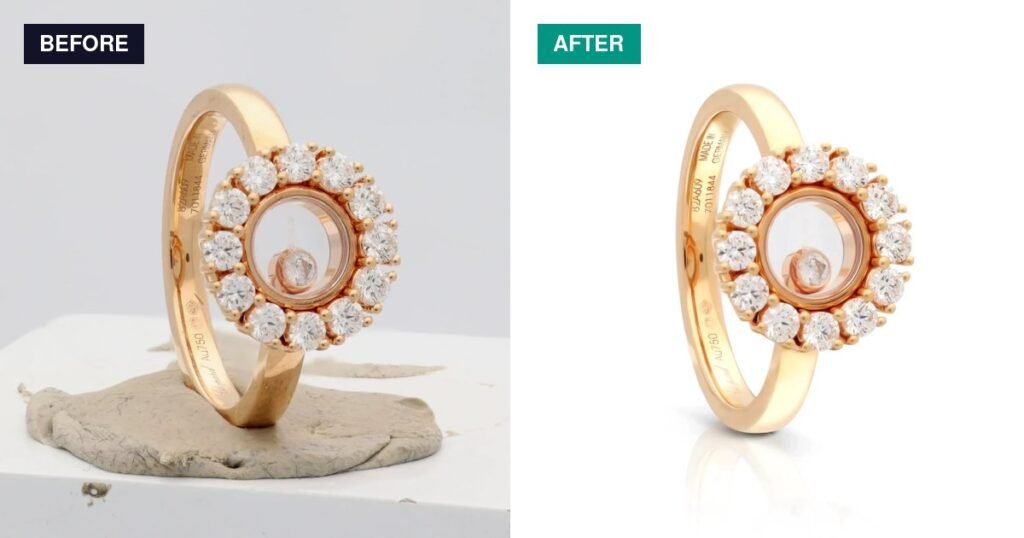
Yes, for the main image. Amazon specifies pure white, RGB 255, 255, 255 Amazon rule. An off-white studio background that looks white to the eye is not the same thing, which is why it is worth measuring rather than judging by eye. Secondary images can use other backgrounds.
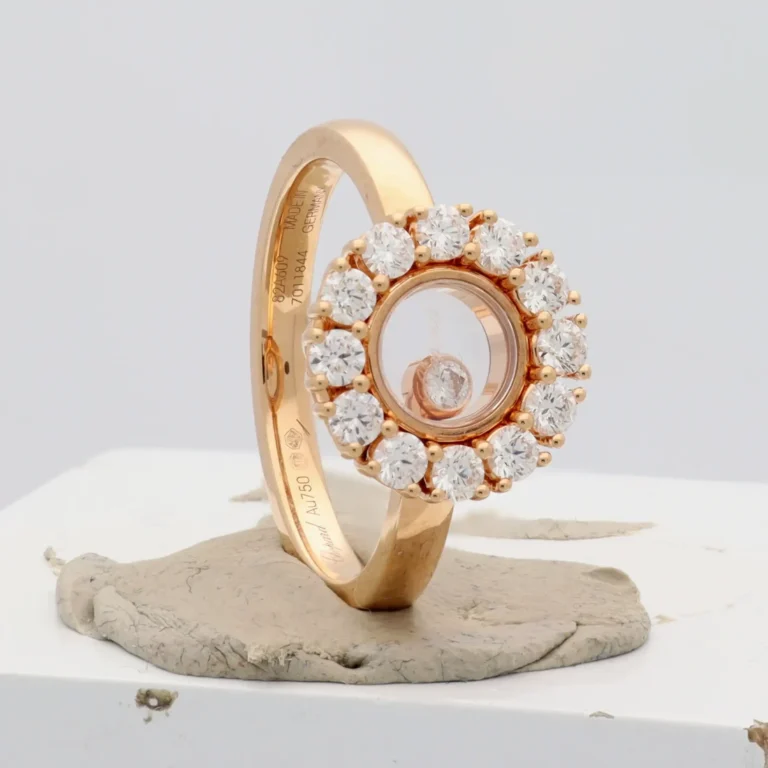 Before
 After
How to check it yourself Our recommendation:
- Open the image in Photoshop or any editor with a colour picker or info panel.
- Sample all four corners and several points along each edge.
- Every sample should read 255, 255, 255. Pay attention where a shadow or reflection approaches the edge.
- If any sample reads lower, lift the background to pure white and check again.
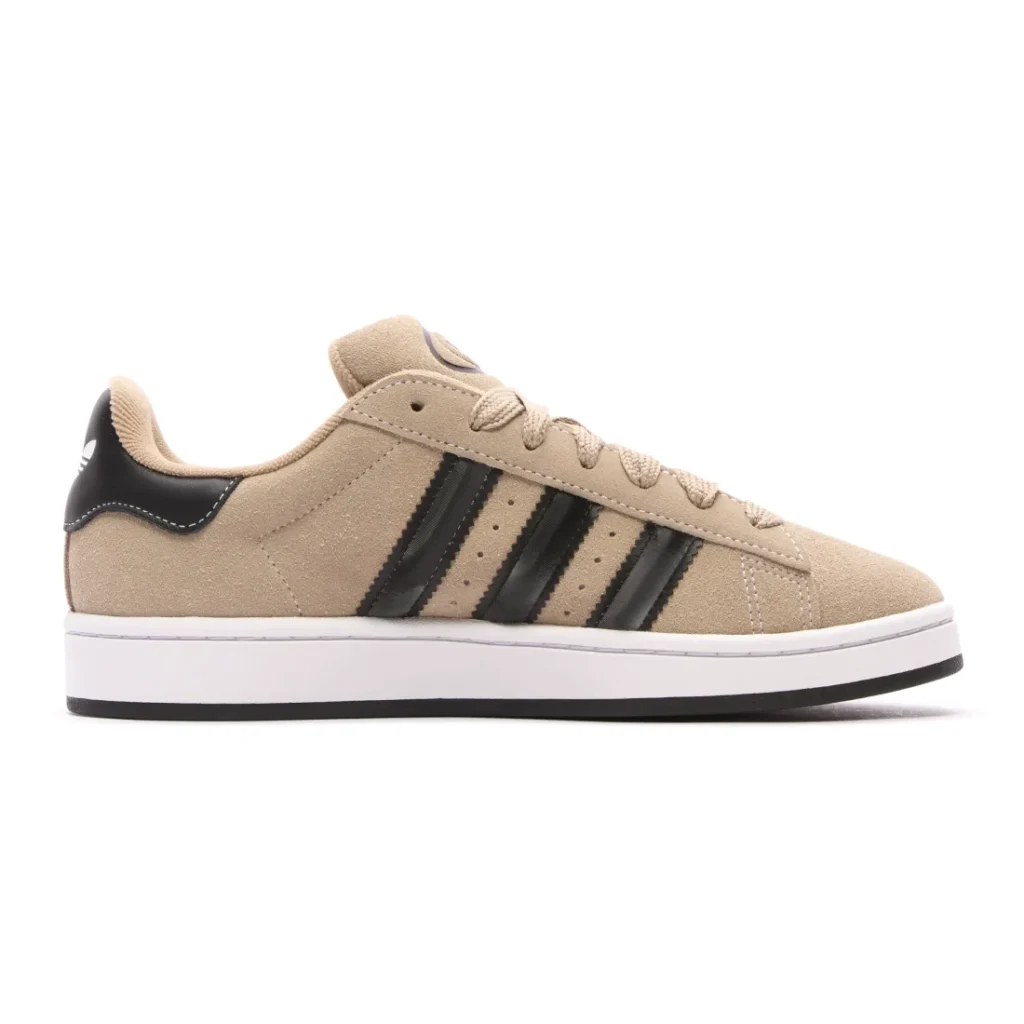
When we ran this check on the footwear image below from our own website, one corner read 254, 254, 254. Nobody would see it, but it is not pure white, so we would fix it before using the photo as an Amazon main image.
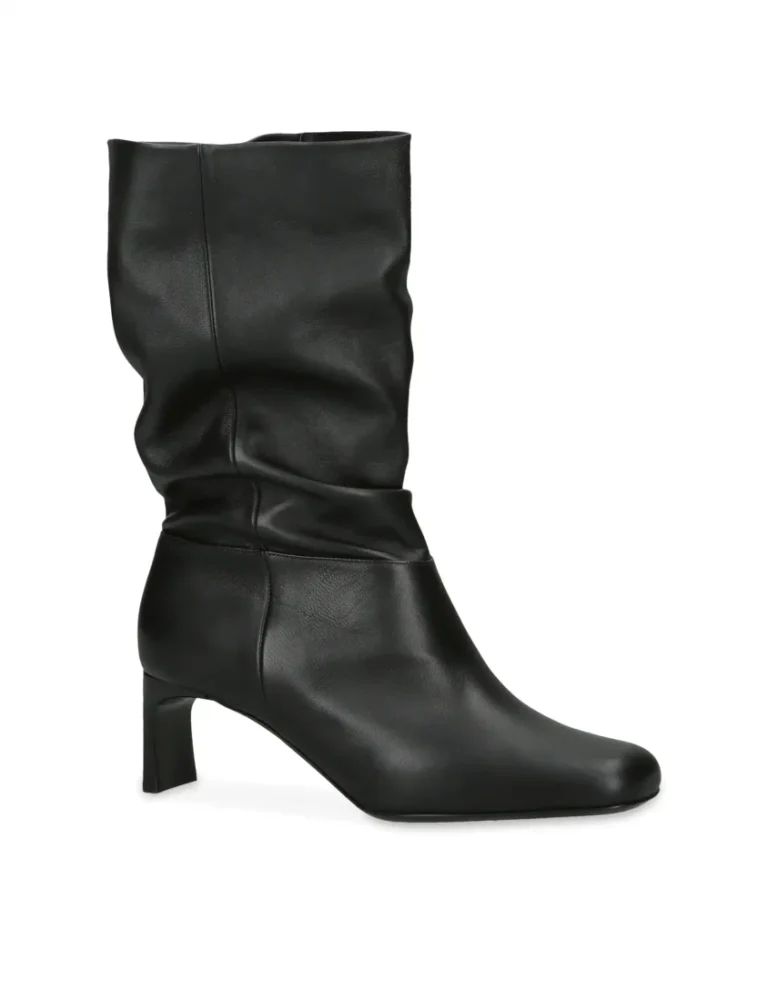
Clean edges matter as much as the background value. Hard-edged products suit a clipping path, while hair, fur and fine mesh need masking; see clipping path vs image masking.
How to check the 85% frame fill
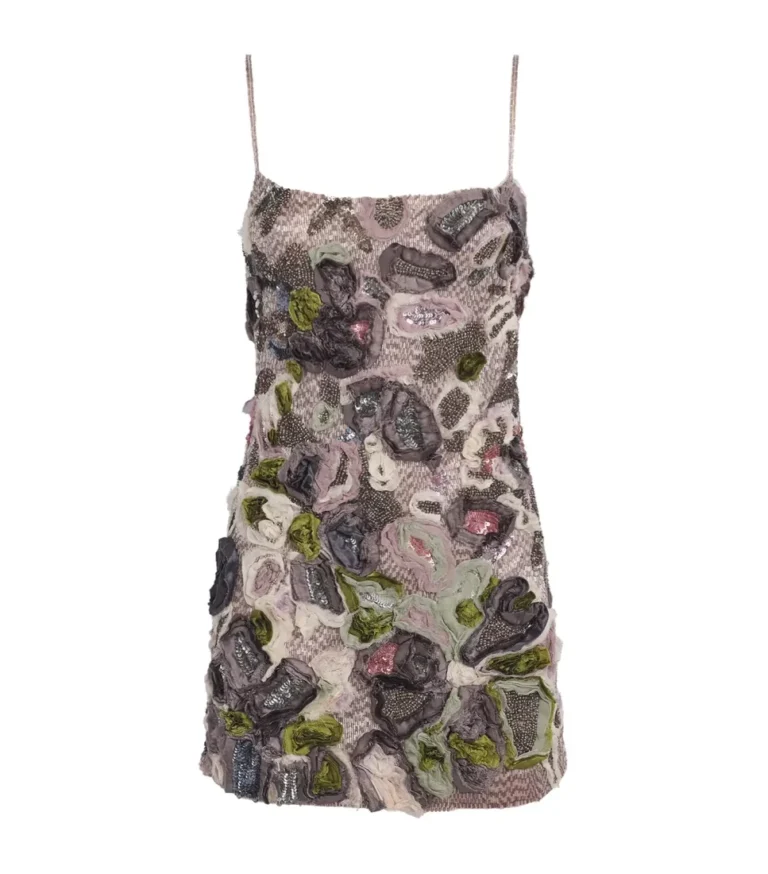
Amazon says the product should fill 85% or more of the frame Amazon rule. A quick way to check Our recommendation: measure the product’s longest dimension against the same side of the image. If a 2,000 px tall image holds a product 1,700 px tall, that is 85%.
We measured two of our own retouched images this way. The halo ring photo above spans about 82% of the frame height, so we would crop it tighter for an Amazon main image. The dress below spans about 88% of the frame height and passes.
Main image vs secondary images
The main image follows strict rules because it represents exactly what the customer buys. Secondary images are more flexible and do most of the explaining: details, scale, use and benefits.
| Main image | Secondary images | |
|---|---|---|
| Background | Pure white, RGB 255, 255, 255 Amazon rule | Can vary: lifestyle scenes, coloured or in-use shots |
| Text and graphics | Not allowed Amazon rule | Infographics are suggested by Amazon as a best practice |
| Props | Only items included in the purchase Amazon rule | Context is common; check your category’s guidance |
| Job | Show exactly what is sold | Show details, size, use and benefits |
Category rules: what to check
Amazon publishes category-specific image guidance in Seller Central, and it can add rules on top of the ones above. Rather than repeat rules we have not verified, here is what to confirm for your category before you shoot:
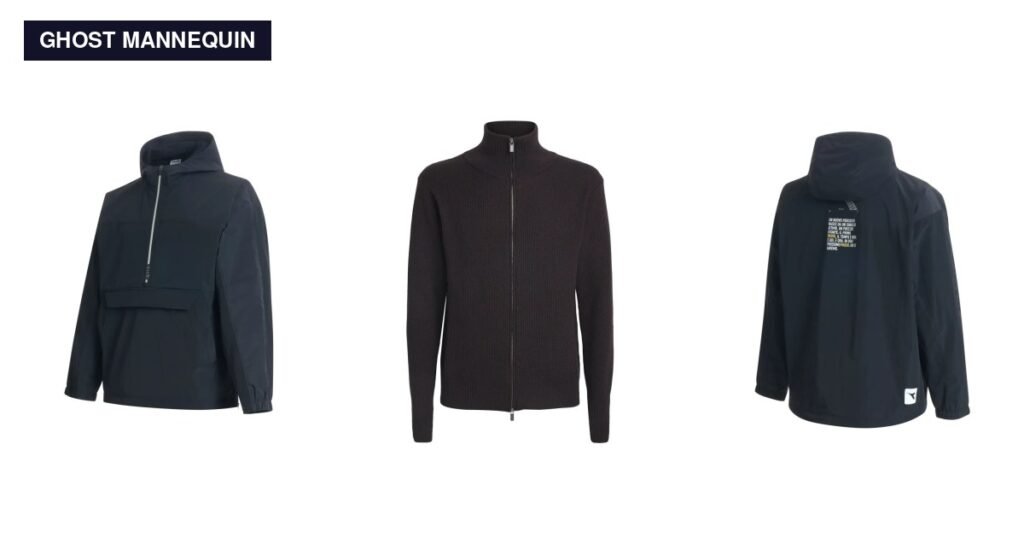
- Clothing: whether the main image must be on a model, laid flat or on a ghost mannequin, and whether children’s clothing follows different rules. Our ghost mannequin guide covers the shoot side, and our apparel retouching page shows finished examples.
- Footwear: single shoe or pair, which direction it faces, and the required angle. See footwear retouching.
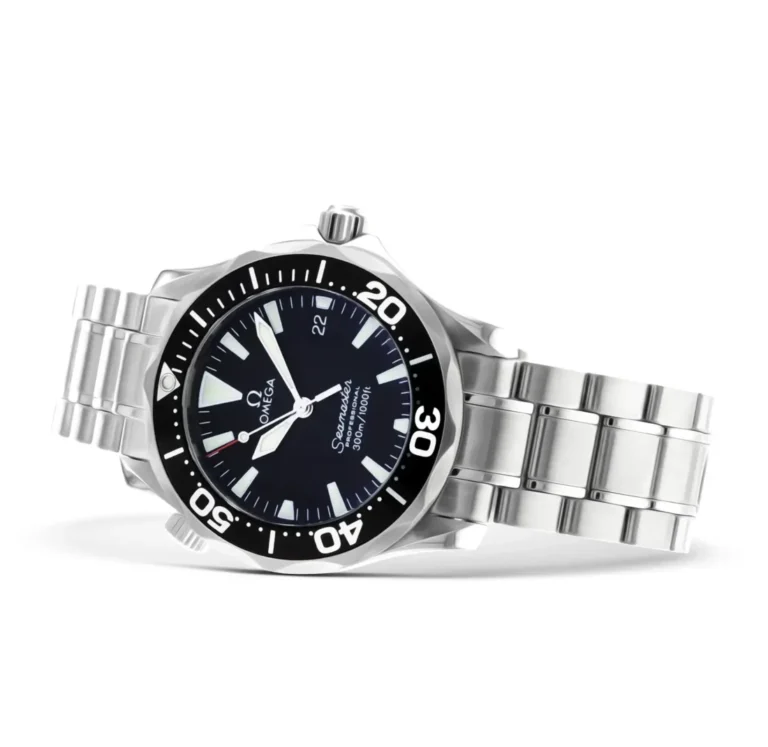
- Jewellery and watches: whether any item may extend beyond the frame, and how reflections and scale should look. See jewellery and watch retouching.
- Bags and accessories: how straps and handles are shown, and how much glare is acceptable on metal and glass. See bags, watches and sunglasses.
- Furniture and large items: whether the item must be shown assembled and fully in frame. See furniture retouching.
Why are Amazon listing images rejected?
Most image problems trace back to the main image rules: a background that isn’t pure white, a product too small in the frame, added text or graphics, props, or an image too small for zoom. Category rules can add more. Seller Central shows the issue for affected listings, so start there.
| Cause | How to fix it | Edit or resize? |
|---|---|---|
| Background not pure white, including near-white and grey shadows reaching the edge | Clean the background to 255, 255, 255 and re-check the edges | Edit |
| Product too small in the frame | Crop or re-canvas until the product fills 85% or more | Usually a crop |
| Added text, logos, badges or watermarks | Remove them; move the information to secondary images | Edit |
| Props or accessories that aren’t included | Remove them from the main image | Edit |
| An illustration or mock-up instead of the actual product | Use a photo of the actual product | Reshoot or edit |
| Too small for zoom (under 1,000 px) | Re-export from the original at a larger size | Re-export; don’t upscale |
| A category rule broken | Follow your category’s guidance | Depends on the rule |
How to prepare images before uploading
- Start from the original file, not a compressed copy, so you have enough pixels for zoom.
- Remove everything that isn’t for sale: props, stands, tags and stickers.
- Clean the background to pure white and check the corners and edges (see above).
- Crop so the product fills 85% or more of the frame.
- Export at 1,000 px or more on the longest side (we use 2,000 px+), as JPEG, TIFF or PNG, in sRGB.
- Check your category’s guidance in Seller Central for extra rules.
- Review the full image set together so angles, colour and lighting match across the listing.
If you prepare images regularly, write these decisions into a retouching style guide so every editor follows the same Amazon specs.
Amazon main image checklist
- Background reads 255, 255, 255 at every corner and edge Amazon rule
- Product fills 85% or more of the frame Amazon rule
- The actual product, not an illustration or mock-up Amazon rule
- No added text, logos, badges or watermarks Amazon rule
- No props or accessories that aren’t included Amazon rule
- Longest side at least 1,000 px Amazon rule; ideally 2,000 px+ Our recommendation
- JPEG, TIFF or PNG Amazon rule; sRGB colour profile Our recommendation
- Category guidance checked in Seller Central
When you need an editor, and when you don’t
Some fixes are quick: re-exporting at a larger size or cropping tighter. Others need retouching: cleaning a background to true white without hard edges, removing props or stands, or controlling reflections on jewellery, watches and glass. Approval always rests with Amazon, so the aim is an image that meets every stated rule, checked before upload.
If you’re unsure which kind of fix an image needs, send us one main image to check and edit free. For larger batches, see our per-image pricing for marketplace edits.
FAQ
Can the main image show the packaging?
Amazon’s rules require the actual product being sold. Whether packaging may appear depends on your category’s guidance, so check it in Seller Central before you shoot.
Can I keep a shadow on the main image?
Amazon’s stated rules focus on a pure white background. A shadow that turns the area around the product grey can stop the background reading as pure white, so if you keep one, keep it soft and well away from the edges Our recommendation.
Do variation images follow the same rules?
Each variation’s main image represents a product a customer can buy, so apply the same main image checks to every variation Our recommendation. Check your category’s guidance for anything extra.
Are AI-generated or AI-edited images allowed?
Amazon requires the main image to show the actual product, not an illustration. Using AI to clean a background is a different thing from generating a product that doesn’t exist; the result must still show the real item accurately.
How do I fix a suppressed listing caused by an image?
Check the image issue Amazon reports for the listing in Seller Central, fix that specific problem using the table above, then upload the corrected image.
Are the rules the same on every Amazon marketplace?
The core rules in this guide come from Amazon’s US Seller Forums. Each marketplace has its own Seller Central help pages, so confirm the current rules for every marketplace you sell in.
Sources
- Amazon Seller Forums: Product Image Requirements and Best Practices (Amazon staff account; checked 25 October 2026)
- Amazon Seller Central: Product image requirements (G1881) (sign-in required)